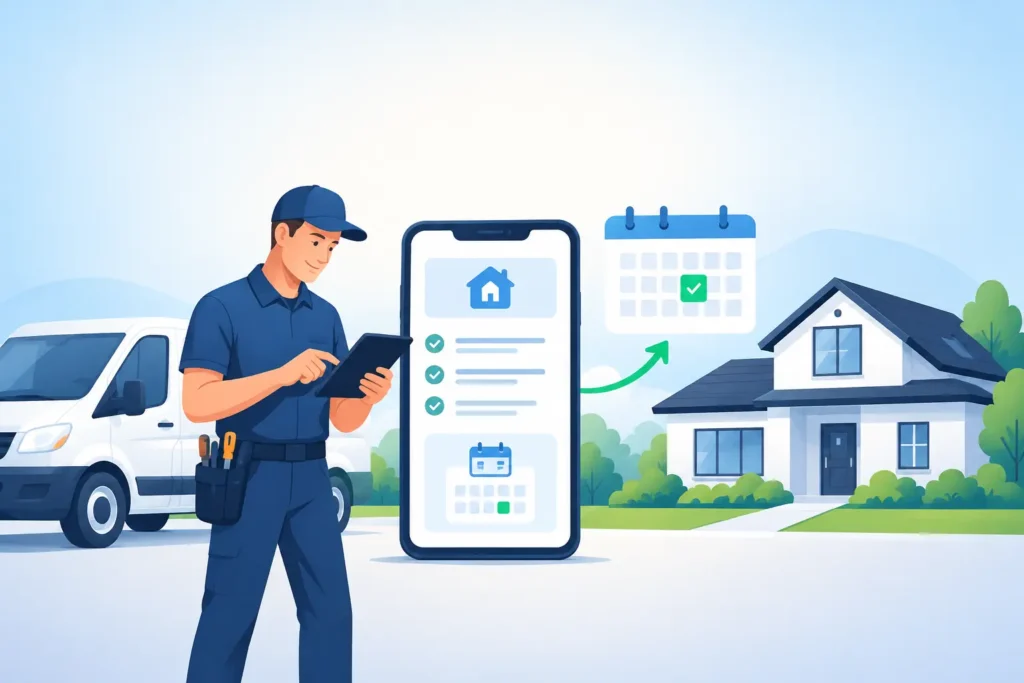
A homeowner with a burst pipe does not wait for a callback. They call the next plumber. The same thing happens when an AC unit quits at 8 PM, a garage door will not open, or a customer needs a locksmith now. Home service software should help you capture that urgency before it becomes another company’s booked job.
Home service software helps local service businesses respond to inquiries faster, qualify the right work, and turn more calls into scheduled jobs. The best option fits your current workflow, supports your team after hours, and pays for itself by recovering even one job you would have otherwise missed.
What should home service software do?
At a minimum, your software should prevent leads from falling through the cracks. That means it needs to recognize a new inquiry, respond in seconds, gather the details your office would normally ask for, and move the customer toward an appointment or estimate.
For a small HVAC company, that can be the difference between a caller waiting until morning and a booked diagnostic visit. If your average service call is worth $350, one recovered job can cover a meaningful portion of your monthly technology cost.
The challenge is that home service software comes in many forms. Some tools manage dispatch and invoices. Others focus on marketing, reviews, or customer messaging. You may need more than one system, but your highest priority should be the first 5 minutes after a prospect contacts you.
Why do missed calls cost so much?
A missed call is rarely just a missed call. It is often a homeowner with an urgent problem, a credit card ready, and 3 competitors one search away. When nobody responds, that lead does not sit patiently in your voicemail inbox.
Most owners know this happens, but they underestimate the volume. Miss 4 solid calls a week at $400 per average job, and you are leaving roughly $6,400 in monthly revenue on the table before repeat work and referrals. Even if only 1 of those callers would have booked, the loss adds up fast.
Your team is not the problem. A technician cannot answer the phone while climbing a ladder, diagnosing a furnace, or driving between jobs. An owner cannot quote a remodel and monitor every incoming lead at the same time. Good software fills that response gap without forcing your crew to become a call center.
Which features matter most for a busy service business?
Do not buy software because it has a long feature list. Buy it because it handles the moments that lose you revenue. For most local service businesses, that starts with instant response across phone, text, website chat, and email.
A useful system should send missed call text back within moments, ask basic qualifying questions, identify the service need, collect an address or service area, and offer the next practical step. That might be an emergency dispatch, an estimate request, or a booked time window.
It should also follow up when the customer goes quiet. A homeowner may be comparing 2 estimates, dealing with work, or waiting for a spouse to respond. A well timed follow up 24 hours later can restart a conversation that would otherwise disappear.
Review collection matters too, but it comes after the job is complete. First, focus on capturing the lead. Then make it easy to request feedback from happy customers while the service experience is still fresh.
How does home service software fit your existing operation?
The right setup should fit how you already work, not force you into a complicated new routine. If your office books appointments by phone, the software should support that process. If technicians use a field service platform for dispatching, customer conversations should reach the people who need them.
Before choosing a provider, map your current lead flow from the first ring to the completed job. Look for the handoffs. Maybe calls after 6 PM go to voicemail. Maybe web form inquiries wait until the next morning. Maybe estimates are sent but never followed up.
Those gaps tell you what to fix first. A one person plumbing operation may need after hours qualification and booking. A 12 technician electrical company may need better routing, status updates, and estimate follow up. The tool should solve the bottleneck you have now, not the one a software demo invented.
Ask a simple question during evaluation: who is responsible when a lead replies at 9:30 PM? If the answer is unclear, you still have a revenue leak.
Should you choose software or an AI agent platform?
Traditional software gives you tools. Your team still has to log in, configure workflows, watch notifications, and keep responses moving. That works when you have dedicated office coverage and someone owns the system every day.
An AI agent platform is better suited to owners who need conversations handled without another screen to manage. MinuteLead, an AI agent platform for local service businesses, uses a team of 8 AI agents to respond to leads, qualify requests, support booking, follow up, and request reviews. It can be live in 48 hours, with no app and no dashboard.
The tradeoff is control versus time. A highly customized self serve platform may offer more settings, but settings do not book jobs by themselves. If you have time to build and manage automations, software flexibility may be valuable. If your priority is getting faster replies without adding administrative work, a managed communication workflow is usually the stronger fit.
What does home service software cost?
Pricing varies because the category covers everything from basic scheduling tools to complete customer communication systems. The wrong way to judge cost is to compare only monthly fees. Judge it against the value of work you are currently missing.
For lead response and booking automation, plans may range from $297 to $1,297 per month depending on call volume, channels, and requirements. There may also be a one time build and onboarding fee. That is a real cost, so ask what is included, who handles setup, and how quickly the system starts responding.
Use your actual job value to make the decision. If a drain cleaning job brings in $450, a single recovered booking can cover a $297 plan. If your average roofing estimate turns into a $5,000 project, recovering one qualified opportunity can justify months of spend.
Do not assume every lead will close. Instead, calculate conservatively. If the system helps you win just 2 additional jobs per month, would the gross profit exceed the monthly investment? For many trade businesses, the answer is clear.
How can you roll it out without disrupting your team?
Start with one lead source that is easy to measure, such as missed phone calls. Let the new process prove itself before you add website chat, estimate follow up, and review requests. A 30 day test period gives you enough time to measure response speed, conversations started, appointments booked, and jobs won.
Give the provider the information customers need most: your service area, hours, emergency rules, services offered, basic pricing boundaries, and booking availability. Be clear about what the system can promise and what requires a human callback.
Your crew should know what happens next when a lead is qualified. If an emergency HVAC request comes in after hours, does it alert the on call technician? If a customer requests an estimate, who confirms the time? The technology works best when the handoff is simple and ownership is clear.
No app. No dashboard. No missed jobs. That is the goal, but it still requires a process your team can execute when the next qualified lead arrives.
Frequently asked questions
What is home service software?
Home service software is technology that helps service companies manage inquiries, customers, scheduling, dispatch, follow up, and other daily operations. For lead generation, the most valuable function is responding fast enough to turn an incoming call or message into a booked job, often within the first 5 minutes.
Can home service software help after hours?
Yes. After hours response is one of the strongest uses for lead automation because homeowners often search for urgent help at night and on weekends. A system can acknowledge the inquiry 24 hours a day, gather job details, and route emergencies based on the rules you set.
What does missed call text back cost for a plumber in Dallas?
Cost depends on call volume, service coverage, and whether you need qualification, booking, and follow up in addition to missed call text back. Plans for a complete lead response system commonly start around $297 per month. A plumber who recovers one $400 service call may already cover that investment.
Will AI replace my office staff?
No. AI should handle repetitive first response work so your office staff can focus on customers who need judgment, pricing help, dispatch decisions, and personal attention. In a 10 person service company, that can reduce pressure on the front desk without removing the human relationship customers expect.
How fast can lead response automation go live?
The timeline depends on your call flow, booking rules, and integrations. A focused setup can be live in 48 hours when your service details and routing instructions are ready. Start with missed calls, then expand once you see where more follow up would produce additional bookings.
Your next booked job may not come from more ad spend. It may come from the call you already paid to generate, answered before the customer has time to call someone else.