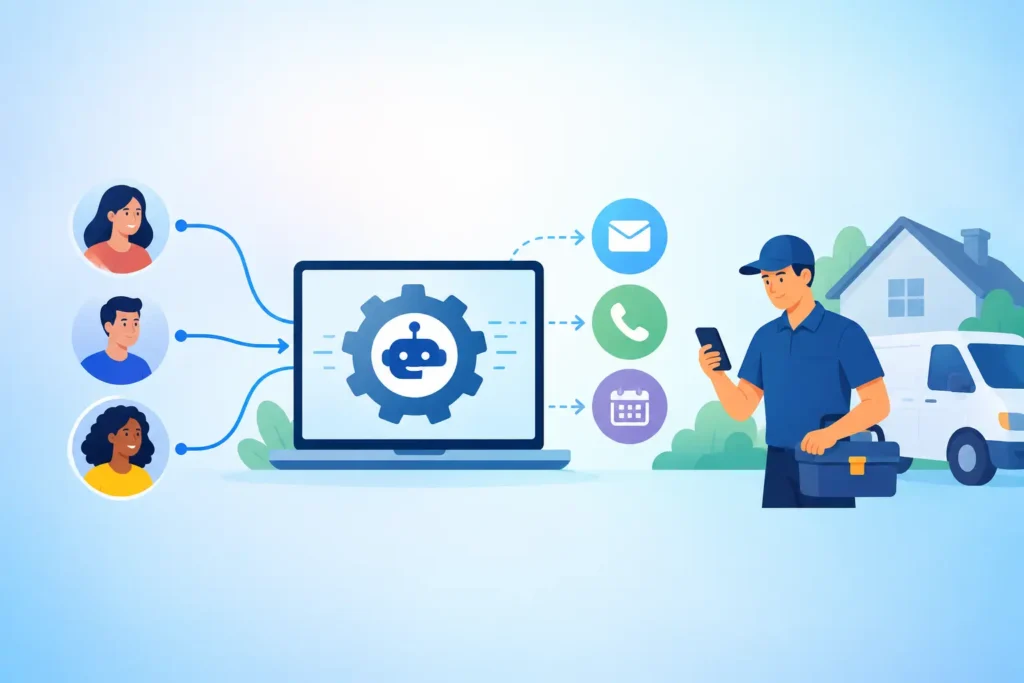
A lead rings your plumbing company at 7:18 PM. Your tech is driving home, your office is closed, and the caller needs help now. By 7:21 PM, they have called another company. That is the real issue behind any lead response automation review. You are not shopping for more software. You are deciding how many ready to buy jobs you can stop losing.
Lead response automation is worth it when it replies to every call, form, and chat within 60 seconds, qualifies real buyers, and hands your team a booked next step while you are out on jobs. The best option feels less like a tool your staff must learn and more like a dependable front desk that never clocks out.
What should a lead response automation review measure?
Start with speed, but do not stop there. A fast automated text is useful only if it starts a real conversation and moves the customer toward a call, estimate, or appointment. For a local service business, the first 5 minutes often decide whether the lead stays with you or keeps searching.
Review every channel where inquiries arrive. That includes missed calls, website forms, web chat, SMS, email, and after hours calls. If your automation covers only website forms while most of your leads call, it is solving the smaller problem.
Then look at the handoff. Does the system tell your dispatcher what service the customer needs, where they are located, and how urgent the issue is? A generic message that says, “We will get back to you soon,” may reduce frustration. It does not book work. A useful system captures the details your crew needs before the conversation goes cold.
Finally, measure outcomes, not activity. Ten automated replies mean nothing if none turn into estimates. You want to see response time, qualified leads, appointments set, estimates requested, and recovered jobs. Those are numbers an owner can use on a Monday morning.
Can lead response automation do more than send a text?
It should. Missed call text back is usually the entry point, especially for HVAC, electrical, garage door, and locksmith businesses where urgent callers expect an answer immediately. But a one message response is not the whole workflow.
A capable setup asks the right questions based on your service. A roofing prospect may need to share storm damage, property type, and timing. A pest control caller may need to identify the issue, address, and preferred service window. An emergency plumber may need to confirm whether there is active water damage before your on call tech gets involved.
From there, the system should guide the lead to a specific next action within 1 conversation. That might be booking an estimate, choosing a service window, transferring an urgent caller, or collecting photos through text. The right path depends on how your business sells work.
This is also where automation can follow up without making your team chase every open conversation. If a customer asks for pricing and disappears, a timely follow up can bring them back. If an estimate goes out on Tuesday, a reminder on Thursday can surface objections before the lead calls a competitor.
Where does lead response automation fall short?
Automation is not a substitute for a good field operation. If your team arrives late, cannot provide clear pricing, or fails to return calls during business hours, faster first replies will not fix the underlying issue. It may simply reveal more demand than your current process can handle.
It also needs boundaries. An AI agent should not promise an exact repair price for a complicated panel upgrade or guarantee same day arrival when your schedule is full. It needs your service area, hours, dispatch rules, pricing guidance, and escalation instructions. A 20 minute setup conversation can prevent a lot of bad assumptions later.
The tradeoff is control versus workload. A self serve platform may give you more settings, dashboards, and menus. But if you are running calls, crews, payroll, and customer issues, another dashboard can become another unfinished task. For many owners, no app and no dashboard is a feature, not a limitation.
How do you calculate whether it will pay for itself?
Use your average job value and start conservatively. If your average drain cleaning job is $450 and faster response recovers only 1 job a month, that is $450 in revenue that was previously walking away. For higher ticket work such as HVAC replacement, restoration, roofing, or electrical upgrades, one saved opportunity can be worth much more.
Compare that against the monthly cost, plus any build fee. Plans for an AI lead response system can range from $297 to $1,297 per month depending on lead volume, channels, booking needs, and follow up coverage. The key question is not whether the platform creates a large percentage increase on a spreadsheet. It is whether one recovered job covers the plan.
Also account for labor. If your office manager spends 30 minutes each day returning missed calls and following up on old estimates, that time has a cost. Automation does not replace the need for people. It gives your people cleaner conversations and fewer dead ends to sort through.
MinuteLead, an AI agent platform for local service businesses, is built around a team of 8 AI agents that can respond across the customer journey. It is designed to be live in 48 hours, so a busy owner does not have to spend weeks building scripts and automations.
What should you ask before choosing a provider?
Ask direct operational questions before you commit. The answers will tell you whether you are buying a booking system or just another auto responder.
- How quickly does it respond to a missed call, form, or web chat?
- Can it qualify leads and book estimates based on my real service area and availability?
- What happens when a customer has an emergency or asks a question the system cannot answer?
- Can it follow up on unbooked leads and estimates without sounding repetitive?
- Who sets up, monitors, and improves the conversations after launch?
You should also ask for a clear launch timeline. A provider that needs 30 days before your first response goes live may be acceptable for a complex multi location operation. For a local contractor losing calls this week, speed matters. Your process can improve over time, but your missed leads will not wait.
Who benefits most from faster lead response?
Businesses with urgent, high intent inbound demand see the clearest return. Plumbers, HVAC contractors, electricians, restoration companies, locksmiths, pest control operators, and garage door companies often hear from customers who need an answer within minutes, not tomorrow.
It can also work well for landscapers, cleaning companies, roofers, and remodeling businesses with estimate driven sales. The booking flow may be different, but the principle is the same. Respond while the customer is still motivated.
If you receive fewer than 10 inbound leads a month, automation may not be your first investment. Improve your local visibility, referrals, and offer first. But once calls are coming in and your team cannot reliably answer every one, speed becomes a revenue system. No app. No dashboard. No missed jobs.
Frequently asked questions
What is lead response automation?
Lead response automation immediately replies when a prospect calls, texts, fills out a form, or starts a chat. It can ask qualifying questions, route urgent requests, book an appointment, and follow up later. The goal is to respond in under 60 seconds instead of letting a live lead wait for your next available staff member.
Does missed call text back actually book jobs?
It can, provided the text starts a useful conversation. A message sent within 1 minute that asks what service is needed and offers a booking option is far more valuable than a generic acknowledgment. Results depend on call volume, urgency, service type, and whether your schedule has room for new work.
What does missed call text back cost for a plumber in Dallas?
Pricing varies by call volume, coverage, and whether you need booking, follow up, voice, chat, and review collection. Many local service businesses spend between $297 and $1,297 per month. For a plumber with an average ticket above $300, recovering 1 missed job can often justify the monthly cost.
Will automation sound impersonal to my customers?
Not if the conversation is built around how customers actually ask for help. Clear language, fast answers, and a useful next step matter more than whether a person typed the first message. Keep escalation available for urgent or unusual situations, then judge the system by one result: more booked jobs and fewer callers left waiting.