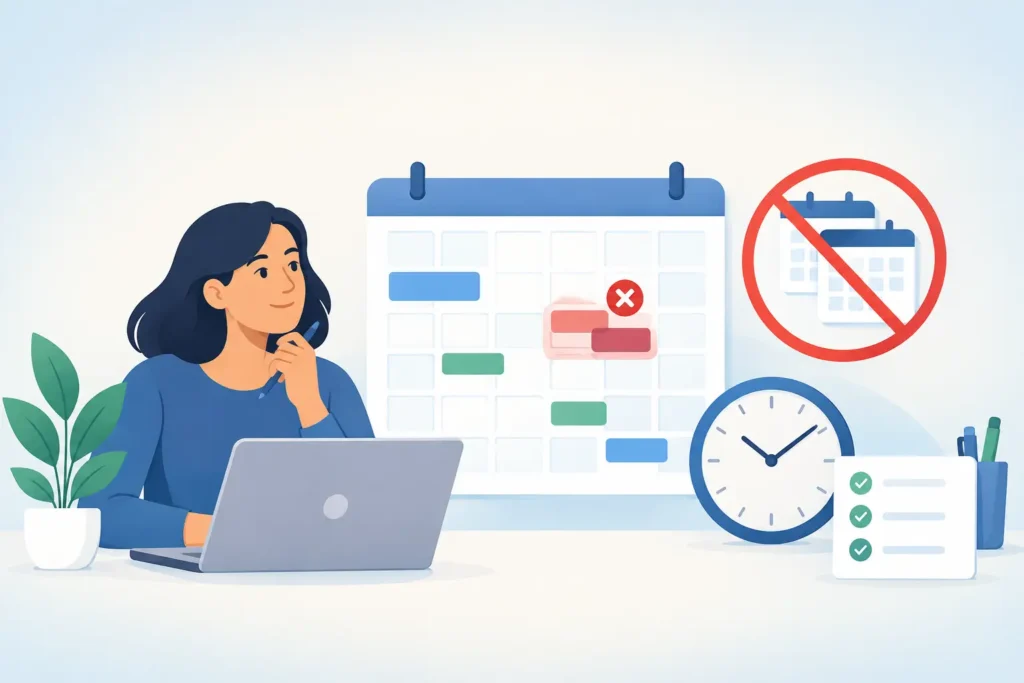
A double booked job does more than create an awkward phone call. It sends a technician across town for work that cannot happen, leaves another customer waiting, and puts your reputation on the line. To prevent double booked jobs, you need one source of truth for availability and a process that confirms every booking before it reaches the field.
Prevent double booked jobs by using one live schedule, clear booking rules, and immediate confirmation for every customer. When calls, texts, web leads, and office bookings all follow the same process, your team knows exactly who is going where, when, and why.
Why do double booked jobs happen?
Most double bookings are process problems, not people problems. A technician tells the office they can fit in one more service call. An owner books a job from a personal phone. A customer replies to an old text thread while someone else is looking at a different calendar. By 3:00 PM, two customers believe they own the same arrival window.
This gets worse as your lead volume grows. A one truck plumbing company may be able to manage bookings from memory for a while. Add a second truck, after hours calls, emergency jobs, and several people answering leads, and memory becomes an expensive scheduling system.
The cost is not limited to one lost appointment. If an HVAC customer takes a half day off work and your crew cannot arrive, you may lose the repair, the replacement opportunity, and the referral that could have followed. A single scheduling mistake can easily cost more than $500 in missed revenue.
What is the best way to prevent double booked jobs?
The best approach is to make one calendar the final authority. Every person and every system that accepts work must check that calendar before promising an appointment. There cannot be a separate office schedule, technician notebook, inbox list, and text message thread that each tell a different story.
Your calendar should show more than open time blocks. It needs the assigned technician, job type, expected duration, travel time, customer address, and status. A drain cleaning call might take 90 minutes. A water heater estimate may need a two hour arrival window. Treating both as a generic one hour slot creates trouble before the day begins.
Set capacity based on reality, not your best case. If a technician can normally complete four service calls, schedule four. Do not load six calls because two might cancel. That is not capacity planning. It is a gamble with your customers’ time.
Build rules before anyone books
Booking rules remove guesswork during a busy call. They should cover your service area, arrival windows, technician skills, emergency work, travel buffers, and the types of jobs that require an estimate first.
For example, a roofing crew may only inspect properties within a 25 mile radius on the same day. An electrician may reserve the final hour of each day for urgent calls and jobs that run long. A cleaning company may need 30 minutes between appointments for travel and supplies. These rules are not bureaucracy. They protect the jobs you already won.
Use a minimum 15 minute buffer where travel is unpredictable. In dense areas, parking and building access can turn a short drive into a delay that affects the next two customers.
How should your team handle incoming calls and texts?
Every incoming inquiry needs a defined path. The person answering should qualify the lead, check the live schedule, offer available windows, collect the address, and send a confirmation. The job should not be considered booked because someone said, “We can probably get there.”
That matters after hours too. Many high intent callers contact a plumber or locksmith when they have an immediate problem. If nobody answers at 8:30 PM, they will usually call the next company. But if your after hours response offers only an unverified appointment, you can create a double booking before your office opens.
An automated response should collect the job details first, then offer only calendar backed availability. It should never invent a time slot or promise a technician who is already committed elsewhere. Fast response is valuable, but accurate response is what protects your operation.
MinuteLead, an AI agent platform for local service businesses, can use a team of 8 AI agents to respond to missed calls, qualify leads, and support appointment booking around the clock. It can be live in 48 hours, with no app and no dashboard for your team to manage.
Which scheduling habits cause the most problems?
The biggest risk is allowing informal bookings. If technicians, owners, office staff, and automated tools can all promise times without updating the same calendar, conflicts are inevitable. A quick fix from a technician can feel helpful in the moment, then create a costly surprise later.
Watch for these four habits:
- Booking from a text message without checking the live calendar.
- Moving a job without notifying the customer and assigned technician.
- Giving exact arrival times when a service window is more realistic.
- Leaving canceled or tentative jobs on the schedule as if they are confirmed.
A tentative job should look different from a confirmed job. Use a simple status system: new lead, awaiting customer reply, confirmed, dispatched, completed, and canceled. That one distinction prevents a scheduler from filling a slot that is already being held for a customer who is deciding.
You also need one owner for the schedule at any given time. That does not mean one person must book every job. It means your team knows who resolves conflicts when they arise. A 5 minute decision is better than three people making separate changes.
How do you confirm appointments without adding office work?
Confirmation should happen immediately after a booking, then again before the visit. The first message tells the customer what they booked. The second reduces no shows and catches details that may have changed overnight.
Send the customer the date, arrival window, service address, job type, and a clear way to reply if something is wrong. For a Tuesday morning plumbing appointment, a message sent Monday afternoon gives the customer time to correct the address, reschedule, or explain a gate code before your truck rolls out.
For larger jobs, include the decision maker requirement. If you are sending an estimator for a $7,000 HVAC replacement quote, confirm that all decision makers can be present. That protects your calendar from an estimate that cannot move forward.
Do not confuse confirmation with a generic reminder. A useful confirmation asks for a response when the booking involves uncertainty. A customer who replies “I actually need Friday” has saved you from an avoidable dispatch issue.
What should happen when a job runs long?
Some jobs run long because service work is unpredictable. A drain clearing turns into a camera inspection. A restoration call reveals more damage than expected. The answer is not to pretend the next appointment will somehow stay on time.
Build an escalation rule. When a technician is likely to miss the next arrival window by 20 minutes, they notify the office or scheduling system right away. The customer gets an honest update before they have to call and ask where you are.
You may need to reassign the next job, offer a later window, or move a nonurgent appointment. The tradeoff is clear: a small amount of proactive communication protects trust, while silence turns one delay into multiple unhappy customers.
Review your schedule every morning for 10 minutes. Look for overloaded technicians, long drives, tentative bookings, and jobs that need parts or customer confirmation. This is where you catch the conflict while it is still easy to fix.
Frequently asked questions
Can small service businesses prevent double booked jobs without an office manager?
Yes. A one or two truck company can prevent double booked jobs by requiring every booking to enter one shared calendar before a time is promised. Automated lead response can also capture after hours inquiries, so you do not rely on memory or scattered text conversations.
Should I use exact appointment times or arrival windows?
Use arrival windows for most field service work. A 2 hour window gives your crew room for traffic, job changes, and emergency calls. Exact times work best for estimates, recurring visits, or jobs where the duration and travel time are highly predictable.
What does missed call text back cost for a plumber in Dallas?
Costs vary based on lead volume and booking needs, but a missed call text back platform may range from $297 to $1,297 per month. For many plumbers, one recovered emergency repair or water heater job can cover the monthly plan.
How quickly should I confirm a booked job?
Confirm immediately after the booking, then send a reminder 24 hours before the visit when possible. For same day calls, send the confirmation within 5 minutes. Fast, accurate confirmation gives customers confidence and exposes schedule errors early.
What if a technician books work directly with a customer?
Set one nonnegotiable rule: the job is not booked until it appears on the shared calendar. Technicians can help customers, but they should send the details to the scheduling process before promising a time. That protects both the technician and the customer.
Your schedule is not just an operations tool. It is a promise your business makes to every customer who chooses you. Keep that promise visible, current, and controlled, and your team will spend more time completing profitable work instead of apologizing for conflicts.